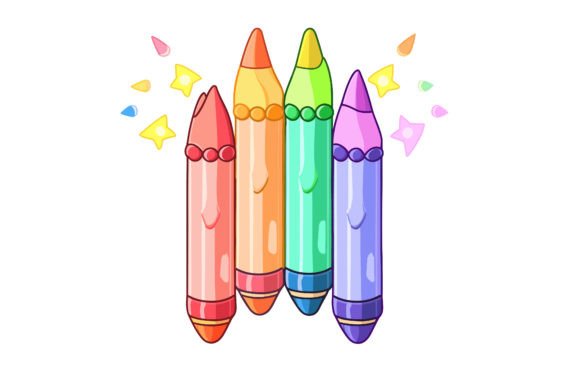
Back to School Crayons Vector Collection
For designers, educators, marketers, and small business owners preparing seasonal campaigns or classroom resources, the Back to School Crayons Vector Collection is a purpose-built asset—not just decorative, but functionally integrated into real-world creative workflows. It’s not a standalone graphic; it’s a modular, production-ready component designed to accelerate execution without sacrificing quality or flexibility.
What This Collection Actually Is—and What It’s Not
This isn’t a set of raster-based PNGs with fixed resolution or limited editing options. The Back to School Crayons Vector Collection delivers 100 vector shapes in EPS format—scalable to any size without pixelation—plus a high-resolution 4000×2584 px JPEG for immediate use in presentations, social posts, or print layouts. All files are bundled in a single ZIP archive, compressed for fast download and organized for quick access. You’ll need WinRAR, WinZIP, or your OS’s native extraction tool (double-click works on most modern systems) to unpack them—but that’s the only setup required.
Each crayon shape is built with clean paths, consistent stroke weights, and layered grouping that preserves editability. Colors follow a vibrant, accessible palette optimized for readability and visual energy—no washed-out pastels or overly saturated neon that clashes with branding. That means you’re not just getting illustrations—you’re getting production-grade building blocks.
Where It Fits Into Your Workflow
Think of this collection as a “pre-production accelerator.” Before launching a back-to-school campaign, designing classroom posters, or updating an educational blog’s visual identity, you’ll likely go through phases: research → planning → asset gathering → layout → review → export. The Back to School Crayons Vector Collection sits squarely in the *asset gathering* and *layout* stages—but its impact ripples outward.
For example:
- Educators building printable worksheets or digital slide decks can drop individual crayons into Canva, PowerPoint, or Google Slides (after opening the EPS in Illustrator or Affinity Designer and exporting as SVG/PNG). No redrawing needed—just select, recolor, resize, and place.
- Freelance designers delivering branded back-to-school kits for clients can use the vector shapes as base elements, then apply client-specific color swatches, add custom typography, or combine them with icons from other vector libraries—all without losing fidelity.
- Small business owners creating limited-edition stationery or teacher appreciation bundles can extract single crayons, layer them into packaging mockups, or convert them to cut files for vinyl plotters or laser engravers.
The key is interoperability: because these are true vectors—not traced bitmaps or flattened layers—they behave predictably inside industry-standard tools like Adobe Illustrator, CorelDRAW, Affinity Designer, and even Figma (when imported as SVG).
Preparation and Compatibility: What You Need to Know
No special software license is required to *use* the assets—but to unlock full editability, you’ll need vector-capable software. If you primarily work in raster environments (e.g., Photoshop or GIMP), open the EPS file in Illustrator first, make adjustments, then export as PNG or SVG for insertion elsewhere. For users without vector editors, the included JPEG serves as a ready-to-place fallback—ideal for blog headers, email banners, or social media thumbnails where precise scaling isn’t critical.
File dimensions (4000×2584 px) were chosen deliberately: large enough for A3+ print output at 300 DPI, yet efficient for web previews. The aspect ratio supports both landscape layouts (e.g., banner ads) and vertical crops (e.g., Instagram carousels). And because all 100 shapes are individually named and grouped logically in the EPS file, finding and isolating one specific crayon—say, the lime-green hexagonal one with the white label—is faster than searching through dozens of unorganized layers.
Practical Implementation Tips
Here’s how experienced users integrate this collection smoothly:
- Start with intent, not decoration. Ask: “What action should this visual support?” A crayon icon beside a “Submit Assignment” button reinforces interactivity; a cluster of crayons behind a “Creative Writing Prompt” headline signals openness and playfulness—not just “school vibes.” Let function guide placement.
- Recolor systematically. Don’t adjust each crayon manually. In Illustrator, use the Recolor Artwork tool to shift the entire palette to match your brand colors in one pass—or apply global swatches so future edits propagate instantly across all instances.
- Combine, don’t just stack. Layer crayons behind text boxes, wrap them around corner elements, or scatter them along timeline graphics. Their flat, clean style makes them ideal for subtle texture—not dominant focal points—unless intentionally scaled up as hero elements.
- Repurpose across formats. Use the same vector shape in a printed handout, then reuse it as an animated sticker in a teacher training video (export as transparent PNG sequence), or convert it to a monochrome version for embroidery digitizing.
Long-Term Usability and Quality Control
Vector files age well—but only if they’re well-structured. This collection was built with long-term reuse in mind: no embedded fonts (text is outlined), no linked images, no hidden layers or unused swatches. That means when you revisit the file six months later—during next year’s back-to-school prep—you won’t waste time troubleshooting broken links or missing resources.
Also consider consistency across projects. If you’re managing multiple school-related assets (calendars, planners, flashcards), using the same crayon shapes across all materials builds visual continuity. Learners and parents subconsciously register that cohesion—it signals professionalism and attention to detail, even if they never consciously notice the crayons themselves.
Real Integration Examples
A curriculum developer used 12 crayon shapes to design a “Learning Style Inventory” PDF. Each crayon represented a different modality (visual, auditory, kinesthetic), styled with matching accent colors and labeled in clear sans-serif type. Because the vectors were scalable, the same file worked equally well as a printable poster and a responsive web form.
A boutique stationery brand licensed the collection for internal use, then extracted five core crayon silhouettes to create a custom SVG icon set. They added subtle shadows and hover animations for their e-commerce product pages—enhancing perceived value without increasing development time.
An edtech startup embedded three crayons into their onboarding flow: one rotating gently during loading screens, another appearing as a checkmark after module completion, and a third serving as a draggable element in an interactive lesson builder. All rendered crisply across devices—from tablets in classrooms to desktop admin dashboards.
Final Considerations Before Use
Remember: tools don’t replace judgment. Even the most flexible vector collection won’t compensate for misaligned messaging or poor layout hierarchy. Use the Back to School Crayons Vector Collection to reinforce clarity—not obscure it. Test contrast ratios if placing light-colored crayons over busy backgrounds. Verify spacing between text and illustrated elements—especially in responsive layouts where scaling may compress margins unexpectedly.
And while the ZIP contains everything you need out of the box, treat it as a starting point—not a finish line. Rename files meaningfully (“crayon-red-flat.ai”, not “vector-7.eps”), store them in a dedicated “School Assets” folder alongside your brand guidelines, and document any custom modifications you make. That small habit pays off when you scale usage across teams or over multiple academic years.
In short: the Back to School Crayons Vector Collection saves time not by doing the thinking for you—but by removing friction from the doing. It meets professionals where they are: mid-deadline, mid-revision, mid-planning—and gives them clean, reliable, editable assets that move the process forward, consistently and quietly.