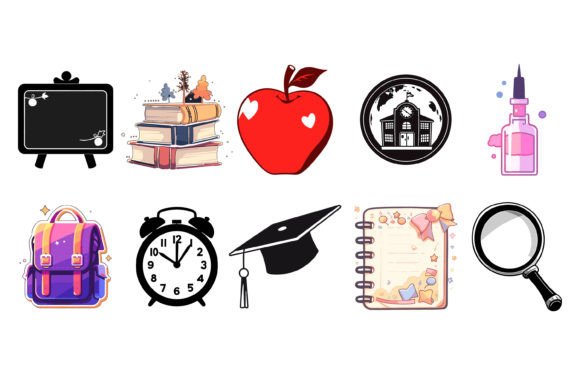
Back to School Icon Vector Bundle
If you're designing a back-to-school campaign, launching an education app, or refreshing your tutoring business’s visual identity—this isn’t just another icon pack. The Back to School Icon Vector Bundle is a thoughtfully curated flat vector set built for clarity, consistency, and real-world usability. Think of it as your visual shorthand for learning: open notebooks, chalkboards, graduation caps, pencils, laptops, backpacks, and more—all rendered in clean, modern lines with balanced proportions and intuitive silhouettes.
What stands out isn’t just the quantity (100 icons), but how each one breathes space and purpose. There are no overly ornate details or stylistic contradictions—just cohesive, scalable vectors that hold up whether you’re printing a 24" classroom poster or fitting an icon into a 24px mobile navigation bar. The flat design language avoids gradients, shadows, or textures, making these icons especially effective for interfaces where speed, accessibility, and cross-platform legibility matter.
Where These Icons Actually Shine
This bundle works hardest where visual efficiency meets audience expectation—especially in contexts where users scan quickly and context is everything. For educators building digital lesson plans or LMS dashboards, these icons help organize content without overwhelming learners. Marketers running seasonal campaigns on social media or email newsletters find them ideal for illustrating “new semester,” “study tips,” or “enrollment open” without relying on stock photos or inconsistent clipart.
Small business owners—like tutors, online course creators, or stationery designers—use them to unify their brand across platforms: same pencil icon appears on their website header, Instagram highlight cover, printable planner PDF, and printed business card. Because they’re delivered in both EPS (for full vector editing in Illustrator) and JPEG (for quick drag-and-drop into Canva or PowerPoint), there’s no bottleneck between idea and execution.
They also integrate seamlessly into editorial design: imagine a blog post titled “5 Ways to Ease Back-to-School Anxiety”—a simple, friendly notebook icon beside each tip creates rhythm and improves scannability. Or consider packaging for eco-friendly school supplies—a minimalist backpack icon communicates function and values at a glance, no text needed.
Designing With Intention, Not Just Convenience
Don’t treat icons as decorative afterthoughts. In interface design, every icon carries functional weight. A poorly chosen or inconsistently styled icon can confuse users—or worse, erode trust. That’s why the Back to School Icon Vector Bundle prioritizes usability over novelty: each line icon is tested for recognition at small sizes, maintains clear negative space around key shapes, and avoids ambiguous metaphors (e.g., no abstract “learning” blobs—just a clearly legible book, calculator, or apple).
That intention extends to branding. When you use the same icon family across your website, presentation decks, and print materials, you reinforce visual continuity—something audiences absorb before they read a single word. It subtly signals professionalism and attention to detail, especially important for service-based businesses where credibility is earned through consistency.
How to Choose—and Use—These Icons Well
Start by asking: What action or concept does this icon need to communicate? Not “school,” but “submit assignment,” “join class,” or “download syllabus.” Then match that intent to the most literal, unambiguous icon in the set. Avoid stretching metaphors—don’t use a lightbulb for “homework help” if a clipboard or document icon already exists and fits better.
Test readability early. Drop an icon into your actual layout at its intended size—on mobile, on desktop, on a projector slide—and step back. Does it read instantly? Does it align visually with surrounding type? If you’re pairing icons with body text, ensure stroke weights feel harmonious—not so thin they vanish next to bold headings, not so thick they dominate light paragraphs.
Editing is straightforward: open any EPS file in Adobe Illustrator or Affinity Designer, ungroup layers, recolor using global swatches, adjust stroke width, or combine elements (e.g., add a checkmark inside a notebook icon for “completed lesson”). Because they’re true vectors—not rasterized or outlined—they scale infinitely without pixelation, whether you’re embroidering one onto a tote bag or animating it in Figma.
Licensing You Can Rely On
This isn’t a “free with attribution” scenario. The Back to School Icon Vector Bundle comes with a commercial license that covers use in client work, digital products, merchandise, and SaaS interfaces—no hidden restrictions or per-seat fees. You can embed icons in templates you sell on Creative Market, include them in Notion workspace kits, or use them across multiple brands you manage as a freelance designer.
Just keep two things in mind: don’t resell the icons as standalone assets, and don’t claim authorship of the original designs. Beyond that, it’s yours to adapt, layer, animate, and integrate—without second-guessing permissions mid-project.
A Practical Note on File Formats
The inclusion of both EPS and JPEG isn’t about redundancy—it’s about flexibility. EPS gives you full vector control: edit anchor points, change colors globally, convert strokes to outlines, or export custom sizes on demand. JPEGs are optimized for immediate use: drop them into Word docs, Google Slides, or email builders without wrestling with vector software. Neither format requires special fonts or plugins—just unzip and go.
And because all icons share the same grid alignment and baseline, mixing and matching feels intentional, not accidental. You won’t get awkward vertical shifts when swapping a “calendar” icon for a “clock” in your dashboard—you’ll get rhythm, balance, and quiet confidence in your layout choices.
If you’ve ever spent hours hunting for a single usable “library” icon only to find it’s low-res, stylistically mismatched, or buried behind a paywall—this bundle is the antidote. It’s not flashy. It doesn’t try to be everything. But it does exactly what it promises: delivers 100 clear, consistent, ready-to-deploy icons that make education-related design faster, clearer, and more cohesive—without compromising on quality or control.