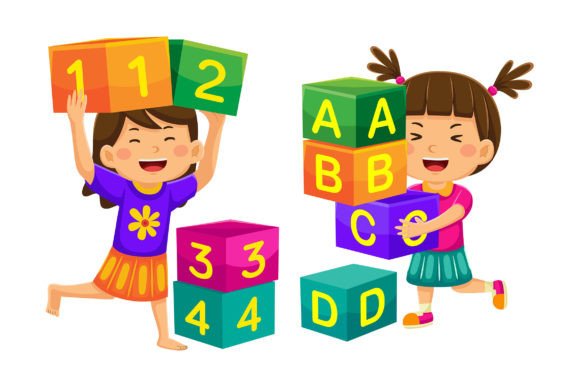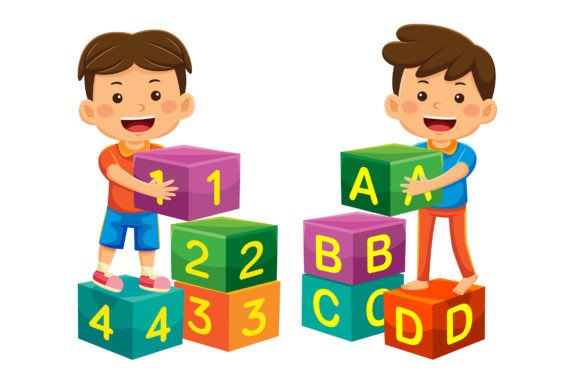
Back to School Vector Illustration 05: Your Flexible Creative Asset for Real-World Branding and Communication
If you're designing for education, small business marketing, or digital content—and need visuals that feel fresh, professional, and instantly adaptable—Back to School Vector Illustration 05 is more than just a clipart pack. It’s a toolkit built for action: 100 thoughtfully crafted vector illustrations in flat design style, delivered as editable EPS files and high-res JPGs (5000 × 5000 pixels), all ready to drop into your next project without pixelation, distortion, or creative compromise.
What Makes This Set Work So Well in Practice?
Unlike static image libraries or generic stock art, Back to School Vector Illustration 05 is designed around flexibility—not decoration. Every shape is layered, labeled, and fully editable in Adobe Illustrator. That means you’re not stuck with preset colors or fixed compositions. Need your school bus icon in navy blue instead of yellow? Done in two clicks. Want the chalkboard background removed to isolate a student character? Just delete the layer. Prefer rounded corners on notebooks or thinner lines on pencils? Adjust stroke weight or anchor points—no redrawing required.
Where You’ll Actually Use These Illustrations (Beyond “Back to School”)
Yes, the theme centers on learning—but the utility extends far beyond August calendars and classroom posters. Here’s where users consistently find unexpected value:
- Educational Entrepreneurs: Tutors, online course creators, and curriculum designers use individual elements (like open books, lightbulbs, or speech bubbles) to build custom infographics explaining learning outcomes—or to brand their email newsletters with consistent, friendly visuals.
- Small Business Owners: A local tutoring center might combine a backpack icon with their logo color palette and overlay it on a landing page banner. A stationery shop could extract notebook and pencil outlines to create social media templates for back-to-school promo posts—then reuse those same assets for in-store signage.
- Marketing Agencies & Freelancers: When juggling multiple K–12 clients—from private academies to after-school STEM programs—this set lets you maintain visual cohesion across campaigns without starting from scratch each time. Swap colors, reposition icons, and mix-and-match components to reflect different brand voices.
- Nonprofits & Community Orgs: Literacy programs or parent-teacher associations often operate with limited design resources. With Back to School Vector Illustration 05, they can produce polished flyers, workshop handouts, and website banners in-house—even without advanced Illustrator skills—thanks to clean layers and intuitive grouping.
Real Scenarios, Not Just Theoretical Uses
A freelance graphic designer told us she used three separate illustrations from this pack to redesign a bilingual after-school program’s entire digital presence: one modified backpack became the favicon; simplified desk-and-lamp elements formed the hero section background of their new website; and a stylized graduation cap (recolorized in teal and gold) anchored their Instagram story highlight covers. All in under four hours—because she wasn’t hunting for compatible assets or wrestling with resolution issues.
Another user—a homeschool co-op organizer—printed a large-format version of a combined illustration (student + globe + laptop) as a wall mural for their shared learning space. She adjusted the globe’s landmass colors to match her group’s regional focus, then exported a low-res JPG for their weekly Zoom background. Same file. Two very different applications.
What to Keep in Mind Before You Start Customizing
While Back to School Vector Illustration 05 offers tremendous freedom, a few practical considerations help avoid hiccups:
- Software readiness: You’ll get the most out of these files in Adobe Illustrator (CS6 or newer). While EPS files can be opened in other vector editors like Affinity Designer or CorelDRAW, layer integrity and text-editability are best preserved in Illustrator.
- Color consistency matters: Since every shape is individually recolorable, it’s easy to end up with mismatched palettes if you’re working across multiple files. Pro tip: define your brand’s primary and secondary colors first, then use Illustrator’s Global Swatches to apply and update them system-wide.
- Scale isn’t always intuitive: Even at 5000 × 5000 pixels, extremely small uses—like tiny app icons—may require simplifying details (e.g., removing fine line work inside a calculator icon) to retain clarity. Test exports at actual usage size before finalizing.
- Combining elements thoughtfully: You *can* merge a rocket ship with a textbook—but ask yourself whether that supports your message or distracts from it. Strong visual communication still depends on intention, not just technical possibility.
Strengths That Stand Out in Busy Workflows
What makes this set especially valuable for time-pressed professionals isn’t just quantity—it’s how the assets behave. The flat design style ensures fast rendering and clean scaling across devices. The consistent stroke weights and spacing mean illustrations sit comfortably side-by-side in a grid-based infographic. And because everything is vector-based, there’s no quality loss when resizing for a billboard-sized banner or a thumbnail-sized social ad.
Also worth noting: the collection avoids overused tropes (no cartoonish apples wearing glasses or exaggerated “genius” lightbulbs). Instead, it leans into subtle, human-centered details—a student adjusting glasses, hands typing on a keyboard, a teacher pointing at a chart—that feel authentic and inclusive across age, ability, and background.
When This Might Not Be the Right Fit
This set shines when you need clean, scalable, customizable educational visuals—but it’s not ideal if you’re seeking photorealistic scenes, hand-drawn textures, or highly detailed 3D-style renders. Likewise, if your project demands complex animation (like SVG-based interactions), you’d need to export and rebuild elements elsewhere—these files are optimized for static or lightly animated use, not motion-first workflows.
And while the 100 illustrations offer breadth, they’re intentionally focused. You won’t find medical, finance, or construction-themed variants here—so if your “back to school” campaign ties into career-readiness for specific trades, you may need to supplement with additional assets.
Designing With Confidence, Not Compromise
At its core, Back to School Vector Illustration 05 removes friction—not creativity. It gives you permission to experiment: try a monochrome version for a sleek corporate training module, add soft shadows for a warm preschool brochure, or isolate single icons to build an interactive quiz interface. You’re not locked into someone else’s vision. You’re given structure, clarity, and control—so your message stays front and center.
Whether you’re updating a decade-old website, launching a seasonal promotion, or building visual language for a new education startup, these illustrations don’t ask you to adapt to them. They adapt to you—quickly, cleanly, and consistently.