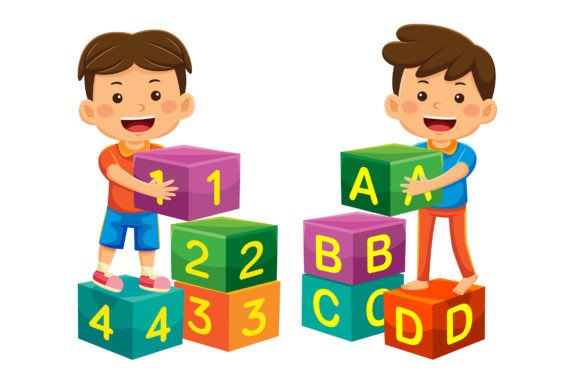
Back to School Vector Illustration 10: A Practical Asset for Branding and Visual Communication
Back to School Vector Illustration 10 is a curated collection of 100 professionally crafted vector illustrations designed with education, learning, and academic themes in mind — but its utility extends far beyond seasonal campaigns. Unlike single-purpose clipart or generic stock graphics, this set was built for adaptability: each illustration is fully editable, layered, and structured to support real-world design workflows. It’s not just “back to school” imagery — it’s a modular visual toolkit intended for consistent, scalable use across digital and print contexts.
What Makes This Collection Stand Out
At its core, Back to School Vector Illustration 10 delivers technical reliability and creative flexibility. All 100 illustrations are delivered in EPS format — compatible with Adobe Illustrator and other vector-editing software — ensuring crisp rendering at any scale. Each file also includes a high-resolution JPG (5000 × 5000 pixels), useful for quick previews, client presentations, or direct embedding where vector support isn’t available.
The flat design style avoids excessive gradients, shadows, or textures, making color replacement fast and predictable. Every shape — from chalkboards and notebooks to graduation caps and open textbooks — is built as an individual, selectable path. That means you can recolor a pencil’s eraser without affecting its barrel, adjust the hue of a backpack strap independently, or isolate a student silhouette for layering into a custom infographic layout.
Real-World Usability Across Projects
In practice, this level of control translates directly into time savings and consistency. For example, a small business owner launching a tutoring service might use one illustration as the hero graphic on a landing page, then extract and recolor key elements — like a stack of books and a smiling student — to build matching social media banners, email headers, and printable flyers. Because all assets share the same stylistic language, the brand feels cohesive without requiring custom illustration work.
Educators creating online course materials benefit similarly. Instead of hunting for disparate icons or risking copyright issues with unlicensed images, they can assemble custom diagrams — say, a learning pathway using arrows, milestones, and illustrated checkpoints — by combining and resizing elements from the set. The uniform line weight, proportion, and spacing mean compositions hold together visually, even when reassembled.
Freelance designers working with multiple clients report that Back to School Vector Illustration 10 reduces asset sourcing friction. Rather than building from scratch for each “education-themed” project — whether it’s a university newsletter, a literacy nonprofit’s annual report, or a study app’s onboarding flow — they start with a known, editable base. That consistency helps maintain professional credibility while accelerating delivery.
Strengths in Flexibility and Workflow Integration
One underappreciated strength is how well the set handles iterative changes. Clients often request tweaks: “Can we make the laptop screen show a graph instead of code?” or “Let’s shift the color palette to match our new brand guidelines.” With layered vectors, those edits take minutes — not hours. You’re not redrawing; you’re adjusting fill values, duplicating shapes, or swapping out text placeholders.
Combining elements is straightforward, too. Since all illustrations use aligned grids and consistent stroke weights (typically 1–2 pt), overlapping or interlocking components — like a magnifying glass hovering over a textbook, or a lightbulb emerging from a notebook — retain visual harmony. There’s no jarring mismatch in scale or detail density.
That said, the set assumes basic familiarity with vector editing tools. Users who rely solely on Canva or PowerPoint may find the EPS files less accessible unless they export and edit JPGs instead — which limits scalability and color control. For those users, the included high-res JPGs still serve well for static placements like blog headers or printed handouts, though customization options narrow significantly.
Audience Fit: Who Benefits Most — and When
This collection serves professionals who need reliable, reusable visuals without sacrificing originality. Marketing managers running back-to-school promotions for edtech platforms, curriculum publishers developing teacher-facing resources, or small studios designing branded workshop materials will find immediate value.
It’s especially effective when visual continuity matters across touchpoints — for instance, a community college updating its recruitment campaign across Instagram carousels, website banners, and orientation brochures. Using the same illustration family ensures recognition and reinforces messaging without repetition fatigue.
Bloggers and content creators covering study tips, remote learning tools, or academic productivity also benefit. Rather than defaulting to overused stock photos of students at desks, they can illustrate concepts more precisely: a vector icon showing dual monitors for “distraction-free study,” or a stylized calendar with highlighted exam dates overlaid on a backpack graphic.
That said, it’s not ideal for projects demanding photorealism, highly detailed environments (e.g., full classroom scenes with complex perspective), or narrative illustration. It’s a system of clear, symbolic elements — not a storytelling engine. Users expecting cinematic depth or character-driven scenes will need supplemental assets.
Quality, Consistency, and Long-Term Value
Across the 100 illustrations, quality remains stable: clean paths, minimal anchor points, logical layer naming (where applicable), and balanced negative space. There are no pixelated edges, inconsistent stroke alignments, or stray off-canvas objects — common pain points in lower-tier vector packs. That reliability reduces QA time and minimizes last-minute fixes before client handoff.
Long-term, the investment pays off through reuse. A single illustration might appear in five different formats over 12 months: resized for a mobile ad, recolored for a seasonal email series, simplified into a favicon, repurposed as a webinar slide background, and finally adapted into a printed poster. Because it’s vector-based and non-destructively editable, it doesn’t degrade with each iteration.
Still, keep expectations grounded. This isn’t a design system with typography pairings, UI components, or responsive templates — it’s a focused visual library. Its value multiplies when paired with strong layout sense, brand strategy, and audience awareness. Used thoughtfully, it supports clarity and professionalism. Used without intention, it risks blending into the background of generic educational visuals.
Practical Recommendations for Getting Started
- Start small: Pick three illustrations that align with your next project’s core message — e.g., a graduation cap, a checklist, and a laptop — and experiment with color swaps and composition before scaling up.
- Build a style guide snippet: Document your chosen primary and secondary colors, along with preferred sizing ratios for web vs. print use. This ensures consistency across team members or future campaigns.
- Test export settings: When preparing for web use, export SVGs directly from Illustrator for maximum scalability and small file size. For print, stick with PDF/X-4 or high-res CMYK JPGs.
- Combine strategically: Avoid overcrowding. One strong focal illustration — enhanced with two supporting elements — often communicates more effectively than five layered items competing for attention.
Back to School Vector Illustration 10 works best when treated as a foundational element — not a shortcut. Its strength lies in enabling thoughtful, efficient visual communication rather than replacing strategic design thinking. For professionals who regularly produce education-adjacent content, it offers tangible workflow advantages, visual coherence, and room to grow with evolving brand needs.