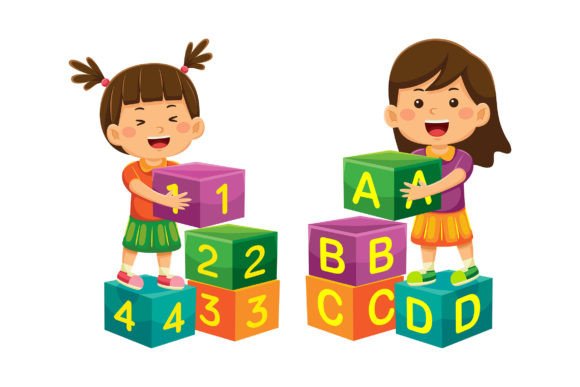
Back to School Vector Illustration Pack: A Versatile Creative Toolkit for Educators, Designers & Marketers
As classrooms reopen and learning environments evolve—whether in-person, hybrid, or fully digital—the visual language of education matters more than ever. Enter the Back to School Vector Illustration 14 collection: a thoughtfully curated set of 100 high-resolution, flat-design vector illustrations designed not just for seasonal use, but as a foundational creative resource across industries. Whether you're an educator crafting engaging lesson materials, a startup founder building a brand identity, or a social media manager planning a back-to-school campaign, this pack delivers flexibility, scalability, and professional polish—all in one download.
What Exactly Is a Back to School Vector Illustration?
A vector illustration is a digital artwork built from mathematical paths—not pixels—making it infinitely scalable without loss of quality. Unlike raster images (like standard JPGs or PNGs), vectors retain crisp edges at any size: whether displayed on a tiny mobile banner or printed across a 10-foot trade show backdrop. The Back to School Vector Illustration 14 collection leverages this power with clean, modern flat design aesthetics—think simplified icons of notebooks, pencils, globes, graduation caps, laptops, and diverse student silhouettes—all crafted with intentional spacing, balanced proportions, and intuitive layering.
Crucially, these aren’t static graphics. Each element is fully editable: every shape, stroke, and color can be modified independently in Adobe Illustrator. No need to trace or redraw—you simply select, recolor, resize, reposition, or even delete components to match your exact needs.
Why This Collection Stands Out Among Educational Assets
Many “back to school” graphics are generic, overused, or technically limited—locked in fixed colors, low resolution, or non-editable formats. This collection breaks that pattern. Here’s what makes it uniquely valuable:
- 100 distinct vector illustrations—not 100 variations of one image, but 100 unique, purpose-built scenes and icons.
- Two file formats included: EPS (editable vector) for customization in Illustrator, and JPG (5000 × 5000 px) for immediate use in presentations, websites, or print-ready layouts.
- True modularity: Elements like desks, chalkboards, speech bubbles, and digital devices can be mixed and matched. Combine a laptop icon with a student figure and a “Learn Online” badge to create a custom e-learning hero graphic—in minutes.
- Color-agnostic design: Every shape uses editable swatches, so adapting palettes to match your brand guidelines (e.g., university blue, edtech teal, or inclusive pastel tones) takes seconds—not hours.
Real-World Uses You Might Not Expect
While “back to school” evokes August calendars and supply lists, the practical applications extend far beyond the academic calendar:
- Educational Technology Platforms: Onboarding screens, feature highlights, and progress dashboards benefit from friendly, inclusive vector characters and learning-related symbols—no stock photo clichés required.
- Small Business Branding: Tutoring centers, after-school programs, and STEM camps use these illustrations in logos, signage, email headers, and merchandise—ensuring visual consistency across touchpoints.
- Social Media Campaigns: Create scroll-stopping carousels (“5 Study Tips for Success”), animated Instagram Stories (with layered vector elements), or LinkedIn posts highlighting lifelong learning trends—all using the same cohesive visual system.
- Nonprofit & Advocacy Materials: Organizations promoting literacy, equity in education, or teacher support use customizable scenes to reflect diverse learners—adjusting skin tones, abilities, and cultural context directly in the file.
- Landing Pages & Conversion Tools: A clean, trustworthy vector banner above a CTA button increases perceived professionalism—and since it’s vector-based, it loads faster and scales perfectly on all devices.
Debunking Common Misconceptions
Before diving in, let’s clarify a few assumptions designers and non-designers often hold about vector assets:
- Misconception: “Vectors are only for logos.”
Reality: While ideal for logos, vectors excel in any context requiring clarity, adaptability, and multi-format output—including infographics, UI elements, presentation decks, and marketing banners. - Misconception: “If it’s flat design, it must look childish or oversimplified.”
Reality: Flat design prioritizes usability and communication—not age group. When paired with thoughtful typography, smart spacing, and strategic color, it conveys sophistication, accessibility, and modernity—key traits for today’s education and tech audiences. - Misconception: “I need advanced Illustrator skills to edit these.”
Reality: The files are organized with clear layer names and grouped objects. Changing a color? Select the shape and pick a new swatch. Removing a background? Click once and hit Delete. Even beginners can achieve polished results quickly.
How to Maximize Value From Your Purchase
Getting the most from this collection isn’t about using every illustration—it’s about building a repeatable workflow. Try these proven strategies:
- Create a brand style guide snippet: Save your edited versions (e.g., “Our Primary Student Icon Set”) as reusable Illustrator symbols or CC Libraries assets—so your entire team accesses consistent visuals.
- Batch-export for web use: Use Illustrator’s Export for Screens feature to generate responsive PNGs and SVGs—optimized for fast loading and sharp display on retina screens.
- Combine with free fonts & templates: Pair these vectors with Google Fonts like Inter or Nunito, and Canva or Figma templates to build branded slide decks or newsletter graphics in under 15 minutes.
- Repurpose across seasons: Swap a backpack for a briefcase, add a “New Year, New Skills” banner, or overlay a “Professional Development” ribbon—transforming “back to school” into “lifelong learning” messaging year-round.
The Bigger Picture: Why Visual Consistency Builds Trust
In an era where attention spans shrink and information overload grows, consistent, well-crafted visuals do more than look nice—they signal credibility. A parent reviewing a tutoring service’s website notices how smoothly icons align with promises (“personalized learning,” “real-time feedback”). A corporate HR team evaluating LMS vendors sees how vector-based training modules reflect clarity and intentionality. These subtle cues shape perception before a single word is read.
That’s why investing in a versatile, editable, high-quality vector pack pays dividends beyond aesthetics. It supports inclusivity (through customizable representation), efficiency (by eliminating repetitive design tasks), and scalability (as your organization grows or pivots).
Final Thoughts: Design With Purpose, Not Just Decoration
The Back to School Vector Illustration 14 collection is more than seasonal decoration—it’s a toolkit for meaningful visual communication. Whether you’re launching a new online course, redesigning a district’s internal training portal, or illustrating a children’s literacy app, these 100 vectors offer a solid, flexible foundation. They save time, elevate professionalism, and empower creativity—without demanding expert-level technical knowledge.
With EPS and JPG files included, compatibility with industry-standard tools, and effortless customization options, this pack meets E-E-A-T principles head-on: it reflects Experience (real-world application across sectors), Expertise (professional-grade vector craftsmanship), Authoritativeness (clear documentation and intuitive structure), and Trustworthiness (transparent licensing, no hidden limitations). And because it’s built for adaptation—not just consumption—it grows with your goals.
So go ahead: resize that chalkboard icon for a webinar thumbnail. Recolor the student group to reflect your community. Merge a cloud icon with a graduation cap to visualize “cloud-based credentialing.” The possibilities aren’t just countless—they’re yours to define. Happy designing. Happy purchasing.